Product Page Builders and Layout
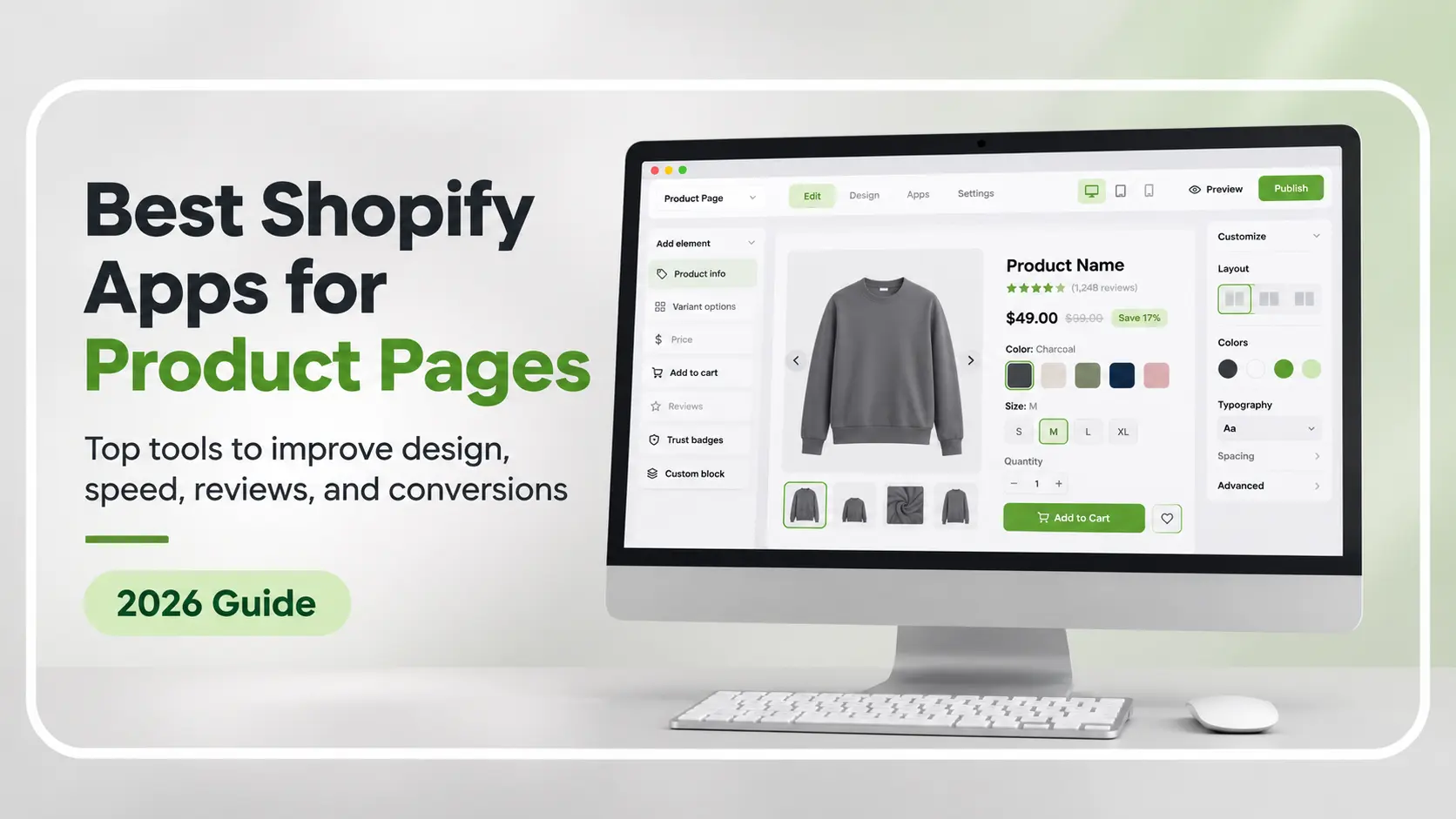
Use a builder when the current theme cannot present your product story well. If the problem is only one missing section, changing the entire product template may be overkill. Compare publishing limits, responsive controls and how the app handles Shopify product data.
1. PageFly
Best for: Visual control over product page layouts without custom theme development.
PageFly is a familiar option for building landing pages and product layouts with a drag-and-drop editor. It suits a brand that wants distinct product templates for different collections, such as detailed technical gear versus quick-purchase accessories. Templates and responsive editing provide a starting point, but do not replace content planning.

Before installing: Check how many pages you can publish on your plan. Keep the buy box, variant picker and mobile layout consistent across templates; a visually attractive page can still confuse shoppers.
2. GemPages Landing Page Builder
Best for: Conversion-led product storytelling and campaign layouts.
GemPages gives teams visual control over product pages, sections and sales-focused landing pages. It is particularly useful when a product needs a long explanation, such as comparison imagery, feature demonstrations and multiple objection-handling sections before the purchase button.
Before installing: Avoid treating every product like a long landing page. Confirm dynamic product data, accessibility and speed are sound before publishing multiple templates.
3. EComposer Landing Page Builder
Best for: Reusable sections and broad storefront page editing.
EComposer supports product pages alongside homepage, collection and other templates. Its library and built-in marketing elements may appeal to a smaller team that wants a consistent design system without constantly editing Liquid files. A product page with a sizing guide, complementary items and comparison blocks is a typical use case.
Before installing: The many available elements are a reason to be selective, not to activate all of them. Check mobile performance and whether native theme sections already solve the same need.
4. Instant AI Page Builder
Best for: Reusable product templates, buy-box layouts and visual collaboration.
Instant offers a visual canvas with templates and product-page elements, including product metadata and options for integrated offers. It is suited to teams that need repeatable layouts across a growing catalog or regularly ship campaign-specific PDP variations. You can explore its Shopify product page builder templates before deciding whether the editor fits your workflow.
Before installing: Check published-product-template limits by plan and confirm compatibility with your existing subscriptions, options and bundle widgets. Do not assume integrations are automatic for every app.
5. Shogun Landing Page Builder
Best for: Brands with more complex content and collaborative page workflows.
Shogun is a visual editor for product pages, reusable sections and wider storefront content. A merchant publishing editorial product launches across several teams may value its structured content workflow and reusable elements.
Before installing: Advanced publishing and collaboration options can come with higher costs. Confirm which page counts and team features your plan includes before migrating a large template library.
Speed, SEO and Image Performance
A product page can have persuasive copy and still lose shoppers when oversized media or unnecessary scripts slow it down. Start with measurements and work out which problem you actually have. These tools are not interchangeable, and using several overlapping image optimizers can create unnecessary work.
6. Tiny SEO Speed Image Optimizer
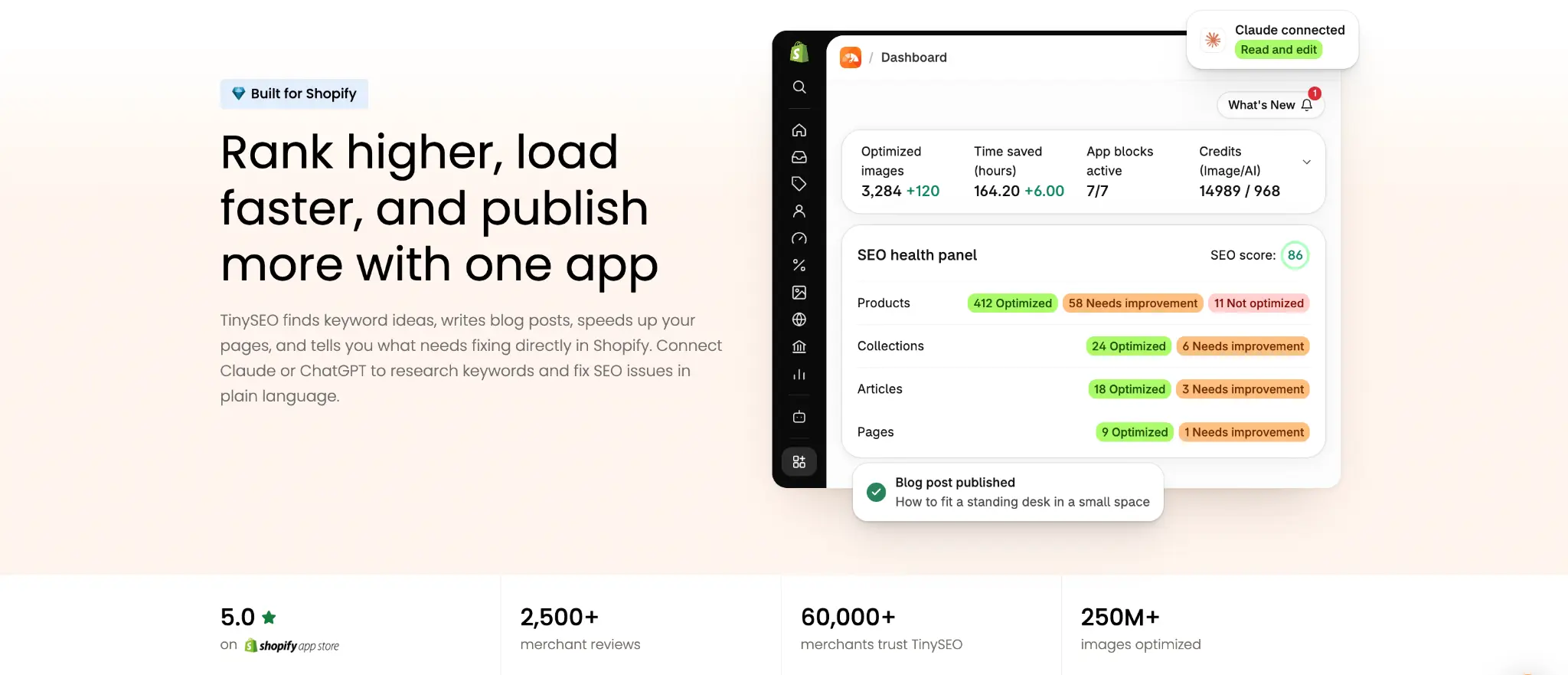
Best for: Image-heavy catalogs that need image, technical SEO and speed workflows.
TinySEO is an all-in-one SEO and speed optimization app that compresses your images, minifies CSS/JavaScript files, and lets you manage third-party scripts. It helps speed up your Shopify product pages without coding, so shoppers stay longer and more visitors become buyers.
Before installing: It does not guarantee faster rankings or a specific PageSpeed score. Review any existing theme or app JSON-LD before enabling additional structured data, and test new speed settings before rolling them out across the catalog.
7. Hyperspeed EXTREME Page Speed
Best for: Stores with a measured JavaScript, CSS or third-party script bottleneck.
Hyperspeed focuses more directly on storefront performance. Its listing describes code minification, JavaScript deferral, critical CSS, lazy loading and other techniques useful when an otherwise strong product page is held back by scripts. It is the more specialized option in this group for a merchant who has already identified technical speed issues.
Before installing: This is not a substitute for an audit. Performance changes can affect galleries, personalization widgets or the Add to Cart experience. Test the product page, cart and mobile theme after enabling each setting.
8. Avada AI SEO Image Optimizer
Best for: Merchants seeking a broad alternative for on-page and technical SEO.
Avada combines image optimization with SEO auditing, metadata assistance, structured data, redirects and speed-oriented features. It fits stores looking for a broader SEO workflow rather than a single-purpose image compressor. Its checklist approach can help teams work through recurring catalog hygiene tasks.
Before installing: There is considerable overlap with Tiny SEO. Compare the workflows, limits and support model before choosing one; installing both for the same tasks adds complexity without proving extra value.
9. Crush: Speed & Image Optimizer
Best for: A focused image-compression workflow.
Crush.pics concentrates on compressing and organizing store imagery, with options around ALT text and filenames. For a merchant whose main problem is a backlog of large product photos, a narrower tool may be easier to maintain than a large SEO suite.

Before installing: Check monthly image-volume allowances and read recent reviews about the workflow. Product image compression will not fix every performance issue, especially heavy JavaScript or slow third-party widgets.
Bundles, Upsells and Product Recommendations
These apps help customers decide what else belongs with the product they are already viewing. They are not equivalent: a fixed bundle, a recommended complementary item and a quantity break serve different buying decisions. Choose the offer type before choosing the software.
10. Fast Bundle
Best for: Fixed bundles, mix-and-match offers and quantity incentives.
Fast Bundle lets merchants create product bundles, mix-and-match selections, volume offers and other promotions that can be presented on product pages. A skincare merchant might pair a cleanser with its complementary moisturizer, while a stationery shop might offer a multi-item kit. A useful offer should help buyers complete a task, not merely make the cart larger. See the practical implications of bundle pricing strategies before offering a discount; the objective is a useful order, not a margin-free larger basket.

Before installing: Check inventory handling, discount stacking and how the bundle behaves with your theme and cart. Keep profitability in view when offering a package discount.
11. Shopify Search & Discovery
Best for: A native starting point for related and complementary products.
Shopify Search & Discovery can manage related and complementary product recommendations on product detail pages, depending on theme support. For merchants who only need basic associations, starting with a Shopify-made app can avoid unnecessary complexity. This can be one way to experiment with Shopify average order value without immediately buying a paid upsell platform.
Before installing: Its public review score is notably weaker than many paid alternatives. Read the latest reviews and test actual recommendations and theme support rather than assuming “made by Shopify” means the best fit.
12. Frequently Bought Together CBB
Best for: One-click combinations of complementary products.
Frequently Bought Together CBB is designed around pairing items shoppers commonly use together. Think a camera and memory card, or a coffee brewer and filters. It supports recommendation rules and optional discounts, making it suitable for focused product-level cross-sells.
Before installing: Check how recommendations are chosen and whether your catalog has enough meaningful product relationships. Random pairings can weaken trust.
13. Rebuy Personalization Engine
Best for: More advanced personalized product recommendations.
Rebuy is relevant when a larger merchant wants recommendations that vary across customers, products and buying contexts, rather than one manually curated accessory under each PDP.
Before installing: A broad personalization platform adds cost and implementation work. Establish a baseline for attach rate and revenue per visitor before investing in a complex setup.
14. Upsell & Cross Sell – Selleasy
Best for: Practical PDP add-ons and complementary offers.
Selleasy presents product add-ons, related items and upsell offers on product pages and other purchase steps. It is useful for straightforward add-on suggestions such as a protective case or spare filter, especially when the buyer should be able to add both items quickly.
Before installing: Decide where each offer belongs. Repeating the same upsell on the PDP, cart and after checkout can feel pushy and complicate attribution.
15. Kaching Bundles App & Upsells
Best for: Quantity breaks and product-page bundle widgets.
Kaching focuses on bundle and quantity-break offers that merchants can display prominently alongside product purchase controls. It is worth comparing when a store sells repeatable products and wants a direct incentive to buy multiple units.
Before installing: Test discounts at different quantities and with existing promotions. A strong-looking offer can erode margin or confuse customers when pricing rules overlap.
Product Options and Personalization
Product options answer a different question from bundling: which version or personalized configuration of a product does this customer want? They matter for engraving, printing, custom measurements, gift notes and option-based surcharges. Test how custom choices appear in cart, checkout and the final order. Good configuration can also help merchants increase Shopify average order value when the extra options offer genuine value.
16. Globo Product Options, Variant
Best for: Text fields, swatches and conditional option sets.
Globo offers flexible product-option controls beyond a simple set of Shopify variants, including fields and conditional choices. It is useful for a gift seller who needs a message, color choice and optional packaging without creating a separate product page for every combination.

Before installing: Clarify how choices affect inventory, price and fulfillment. An option displayed on the product page is not necessarily a separately tracked inventory variant.
17. Easify Custom Product Options
Best for: Customizations with paid add-ons and conditional logic.
Easify covers text inputs, uploads, product options, pricing add-ons and conditional selections. It fits products where shoppers configure an order before buying, such as a custom print with size, finishing and gift-wrap choices.
Before installing: Some live-preview and advanced option features vary by plan. Verify that your theme shows option charges accurately in the cart and order details.
18. Customily Product Personalizer
Best for: Visual personalization and print-ready fulfillment workflows.
Customily is a stronger fit for personalized products than a generic options form. Shoppers can preview selected artwork, text or design variations, while merchants can connect personalization to production workflows. Consider it for engraved gifts, custom signs or print-on-demand designs.

Before installing: A visual preview needs careful testing for fonts, cropped artwork and mobile controls. Confirm the downstream file/output format matches your fulfillment process.
19. Zepto Product Personalizer
Best for: Live previews with dynamic custom pricing.
Zepto supports visual configuration with text, uploads, swatches and conditional logic. It suits merchants whose buyers want to see a near-final design before paying, such as initials on accessories or custom graphics on apparel.
Before installing: Start with one representative product, especially if pricing depends on choices. Complex preview interfaces can add friction on small screens.
20. Qikify Custom Product Options (formerly Tepo)
Best for: Configurable custom fields and reusable option sets.
This app is currently listed as Qikify Custom Product Options at the former Tepo Shopify App Store URL. It is an option for adding configurable fields, conditional selection logic and reusable sets of product choices without rebuilding your product catalog.
Before installing: The old blog called it Tepo. Use the current listing name in the heading and check its newest plan details before publishing any price comparison.
Customer Reviews and Product Proof
For products that customers hesitate to buy, relevant proof often matters more than another promotional banner. Review widgets need to be genuine, easy to scan and visible near the questions buyers ask. Compare moderation rules, media support and how review requests are sent.
21. Judge.me Product Reviews
Best for: Core review collection and visible product-page ratings.
Judge.me is a straightforward option for collecting and showing product reviews. For a store with many SKUs, having a consistent rating block, review search and customer photos can help buyers find feedback for the exact product they are considering.

Before installing: Review the placement and script footprint on your theme. Avoid duplicating star-rating snippets when migrating from another reviews platform.
22. Loox Product Reviews
Best for: Photo- and video-led social proof.
Loox is particularly relevant to fashion, beauty and home decor, where seeing a product in another buyer’s context answers questions that a studio photo cannot. Media-rich review widgets can add useful detail without rewriting the entire PDP.
Before installing: Review order-based pricing and how many requests or media widgets are included. Ensure customers have consented to the use of their images.
23. Okendo: Reviews & Loyalty
Best for: Attribute-based reviews and richer customer insight.
Okendo supports reviews and customer-generated content in a broader customer-experience toolkit. Product-specific attributes can be valuable when shoppers care about fit, texture, quality or performance instead of a single overall rating.
Before installing: It can be more than a small store needs. Compare workflow complexity, integrations and total program cost with a focused reviews app.
24. Yotpo: Product Reviews App
Best for: Larger review programs and established marketing workflows.
Yotpo is a recognizable choice for review collection, product ratings and customer media, particularly when a brand has an existing review program or needs wider marketing integrations.
Before installing: Examine what is included in each plan and the cost at your review volume. Plan a careful migration of existing reviews, permissions and verified-buyer rules.
25. Stamped Product Reviews & UGC
Best for: Reviews, Q&A and user-generated content together.
Stamped offers a range of review formats and customer-content features. If shoppers commonly ask detailed product questions, structured Q&A plus real owner photos can make the review area more useful than a wall of stars.
Before installing: Check support responsiveness, widget performance and review-request behavior against your specific plan. Recent experiences matter more than a historic review total.
Purchase Confidence, FAQs and Onsite Messaging
Even a well-designed PDP may leave unanswered questions: Can I trust this store? When will my order arrive? Can I save this item? Do I need to contact support? Use these tools only when they solve a specific objection. This last group includes one sitewide promotion tool, which is a secondary PDP option rather than a substitute for fixing core product information.
26. Essential Trust Badges & Icons
Best for: Visible delivery, payment and reassurance messages.
Essential Trust Badges & Icons adds configurable icon and messaging blocks that can highlight shipping, returns or guarantees near the purchase area. It is most useful when legitimate service details are getting lost lower on the page.
Before installing: Only display promises your business actually honors. A badge that implies guaranteed shipping or protection without policy support can damage trust.
27. Estimated Delivery Date – ETA
Best for: Delivery estimates before Add to Cart.
This app helps merchants display expected delivery dates or lead times on product and other purchase pages. For made-to-order items, international shipping or seasonal demand, an honest delivery estimate can answer a major pre-purchase question.
Before installing: Configure holidays, processing time and destination rules carefully. An optimistic date that is routinely missed is worse than a slightly longer, reliable estimate.
28. SB: Helpdesk, Live Chat & FAQs
Best for: Product-specific questions and help content.
SB Helpdesk combines FAQs, product tabs and customer-support functions. A merchant selling equipment with installation or compatibility questions can put answers near the product while still offering a path to human help.
Before installing: A complete helpdesk may be unnecessary if you only need a short accordion. Keep responses accurate and avoid covering critical product warnings with generic FAQ text.
29. Swym Wishlist Plus
Best for: Save-for-later journeys for considered purchases.
Wishlist Plus lets customers save items and revisit them across sessions. It fits stores where buyers compare several products before deciding, such as furniture or premium accessories.
Before installing: Make the wishlist control unobtrusive, and check how guest lists work. Save-for-later is useful only if customers can easily return to the same product and variant.
30. Claspo AI Pop up: Quiz & Wheel
Best for: Targeted onsite messages or quizzes, when truly relevant.
Claspo is primarily an onsite messaging and pop-up tool, not a product-page builder. It can help a merchant show a narrowly targeted offer or question at an appropriate moment, but it should not interrupt a buyer already ready to add a product to cart. It is best treated as a secondary CRO choice rather than core PDP infrastructure.
Before installing: Start with low-friction banners or a useful quiz. Measure product-page interaction and conversion, not just email signups or pop-up impressions.