Why Free Shipping Is So Powerful for E-commerce
It’s always a winning point when a shop offers free shipping. Since customers choose these shops most of the time, the purchase is more likely to go through, hence the higher conversion rate.
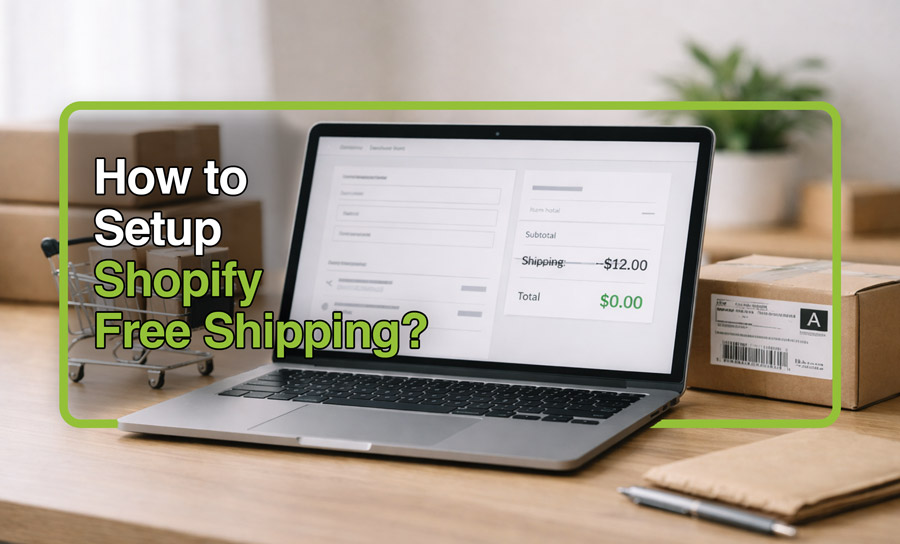
Also, many abandoned carts happen at the final step, when shipping fees appear. A Shopify free shipping setup removes that late-stage surprise and reduces drop-off significantly.
Free shipping also increases AOV (When Tied to a Threshold), aka conditional free shipping options. Setting a minimum order value (like “Free shipping on orders over $75”) encourages customers to add one more product to unlock the benefit, and that’s your AOV rise.
How to Set Up Free Shipping on Shopify (Step-by-Step)
wondering how to set up free shipping on Shopify? Is there a button? Here’s how to offer this to your customers through the admin panel:
1. Navigate to Shipping Settings
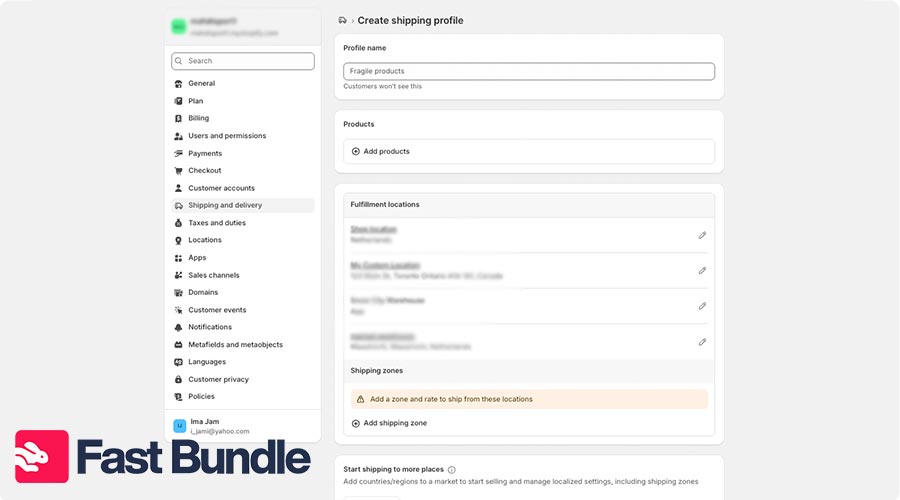
- Go to your shop’s admin panel and from the left menu, click on “Shipping and Delivery”.
- Click on “Create a custom profile” to set the rate or make the shipping free.
2. Create a Free Shipping Rate
- Select products, add shipping zones and determine the rate (click on the “add rate” button).
- Now if you put 0 in the rate field, the shipping goes free for that set of products.
3. Set Conditions (Threshold or Product-Based)
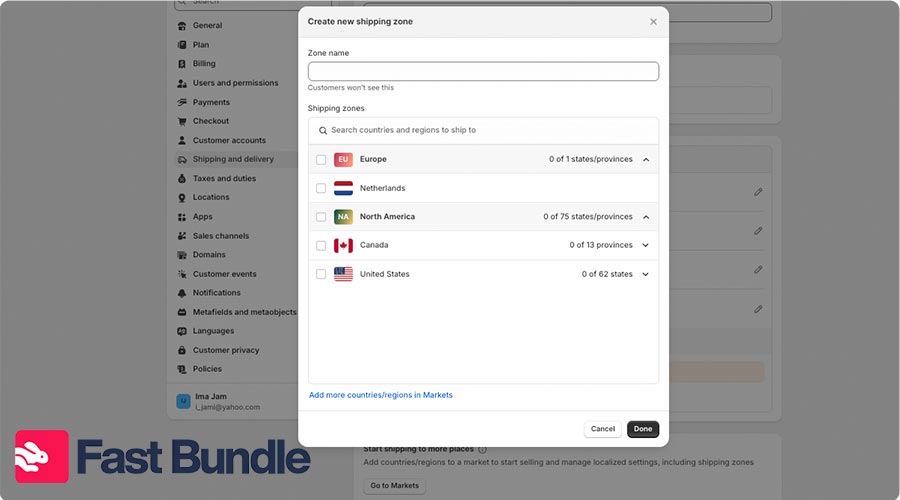
- You can setup “conditional pricing” for your shipping fees. They’re based on item weight and order price, and you can select and set them in the “rate” section.
Shopify Free Shipping Threshold – $50, $75, or $100?
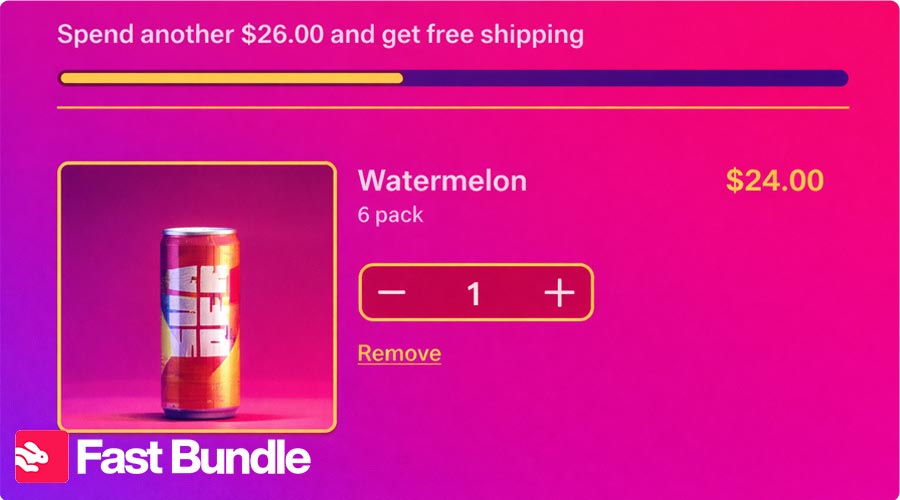
Having a free shipping threshold means the free shipping option for that purchase “only unlocks” if the cart reaches a certain amount. It’s important where you set the threshold, $50, $75 or 100?
It works best when it’s designed to protect profit and feel achievable to shoppers. In Shopify, you can set this up either as a price-based shipping rate (like a “Free Shipping” only above a minimum cart value) or as an automatic free shipping discount with conditions.
Why Threshoulds protect margin
Free shipping isn’t free for you, so a minimum order value helps you “earn” the shipping cost back through extra gross profit from added items. Shopify supports price-based conditions specifically for this kind of tiered setup.
Why thresholds increase AOV
In a threshould, customers add one more item to unlock the benefit. Research shows the same thing: 58% of online shoppers added items to qualify for free shipping, that’s the mechanism behind AOV lift.
But better keep in mind that:
If your threshold is too easy to hit, many customers who would’ve paid shipping will qualify anyway, so you absorb shipping cost without getting meaningful incremental revenue. If you set it too high, it feels unrealistic and people will stop trying. Look at this example:
If your current AOV is $42, a free shipping over $50 Shopify offer feels close and achievable and it often brings addons.
If you want more lift and your catalog supports easy add-ons, Push the threshold to $75 (better margin buffer, but needs stronger merchandising).
But free shipping over $100 on Shopify usually fits higher-priced categories or when customers commonly buy multiple items; if most carts are under $60, $100 can feel out of reach and reduce motivation.
Best Free Shipping Apps for Shopify
Creating shipping solutions and managing orders is doable within the admin panel, but if you want to scale, automate and manage like a pro, you’ll need apps. Here are the best free shipping app for shopify:
Shipping and Order Tracking Apps
 PH MultiCarrierShipping Label by PluginHive
PH MultiCarrier Shipping Label by PluginHive connects multiple carriers like UPS, FedEx, USPS, and DHL within Shopify. It shows live rates at checkout, prints shipping labels, and sends tracking updates automatically, helping you simplify and automate your store’s shipping process.
 Shipment Tracking & Notify by PluginHive
Shipment Tracking & Notify by PluginHive allows customers to track orders within your Shopify store using a branded tracking page. It sends automated delivery updates and provides a dashboard to monitor shipments across carriers like UPS, FedEx, DHL, and USPS, helping you improve customer experience and reduce support queries.
Free Shipping Bar Apps
 Hextom: Free Shipping Bar
A classic progress bar that nudges shoppers toward your free-shipping threshold with dynamic messaging, geo/language targeting, scheduling, and design controls. Strong for reducing “only $X away” friction across product, cart, and checkout pages
 GP Free Shipping Bar
A lightweight free-shipping progress bar focused on quick setup and clear threshold messaging. Helps lift AOV by showing customers exactly how much more to add for free shipping, with styling options to match your storefront.
Discount Automation Apps
 Volume Discounts — Dealeasy
Dealeasy automates tiered pricing with quantity breaks, mix-and-match bundles, BOGO/BXGY, and cart goals like free shipping or gifts. Easily configure offers, show clear savings messaging, and boost AOV storewide, fast.
 Rockit Discounts & Sales
Rockit automates scheduled sales by updating product prices and compare-at prices, no codes needed. Bulk-edit discounts across products or collections, add countdown timers and labels, then auto-revert prices after promotions cleanly.
Bundle & Upsell Apps
 Fast Bundle
(helps customers reach the free shipping threshold organically)
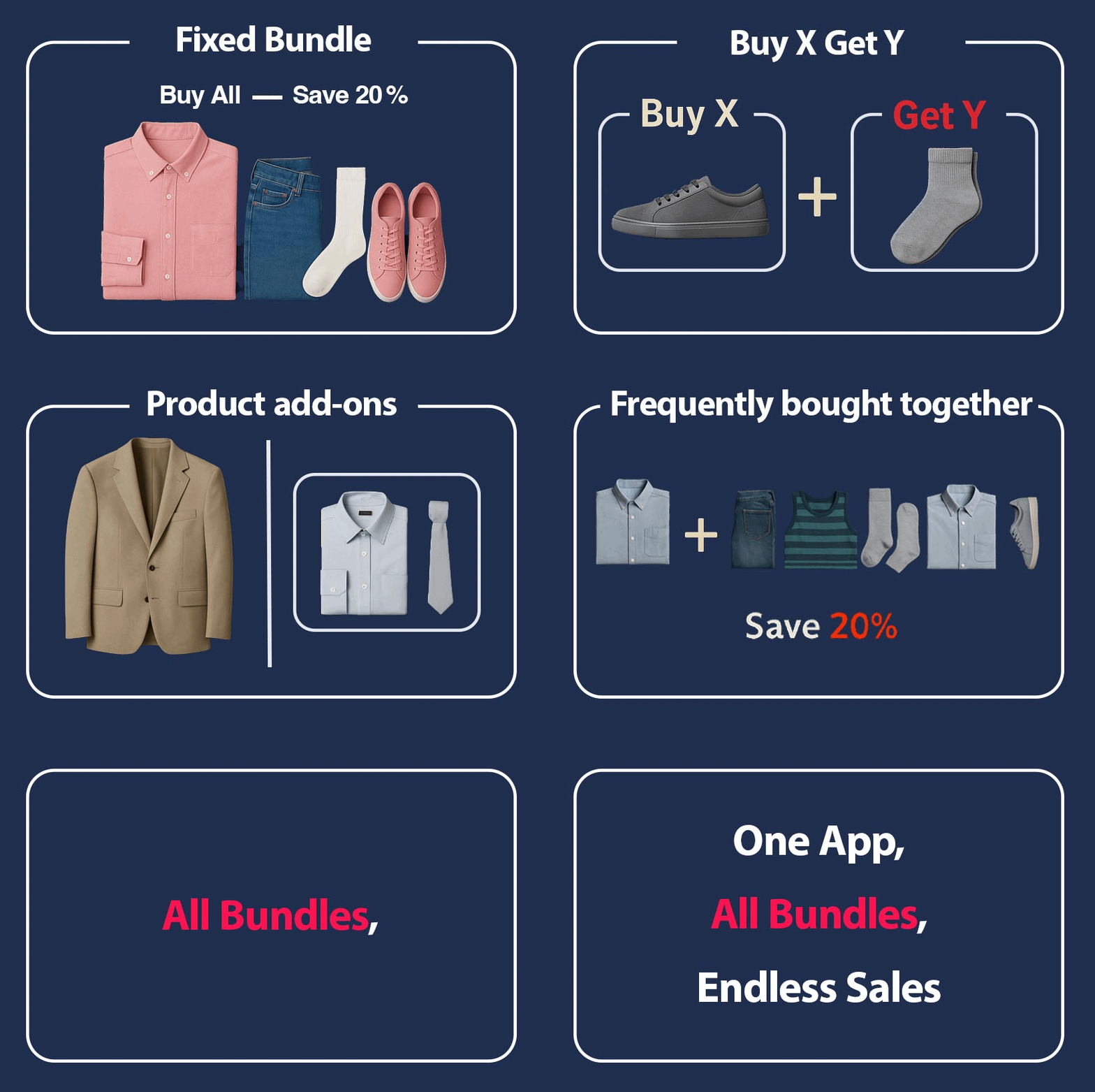
Fast Bundle lifts cart value with Mix & Match, add-ons, frequently bought together, BXGY, and bundle-as-a-product options, so shoppers naturally cross your free-shipping minimum without heavy discounting. Best when you want AOV-first growth.
 Pumper (Quantity Breaks, Bundles & Discounts)
Pumper focuses on quantity breaks and bundle discounts to increase items-per-order. Use tiered pricing and bundle offers to push customers toward your free-shipping threshold faster, especially for replenishment or multi-pack products
Shopify Free Shipping Bar – How to Encourage Bigger Carts
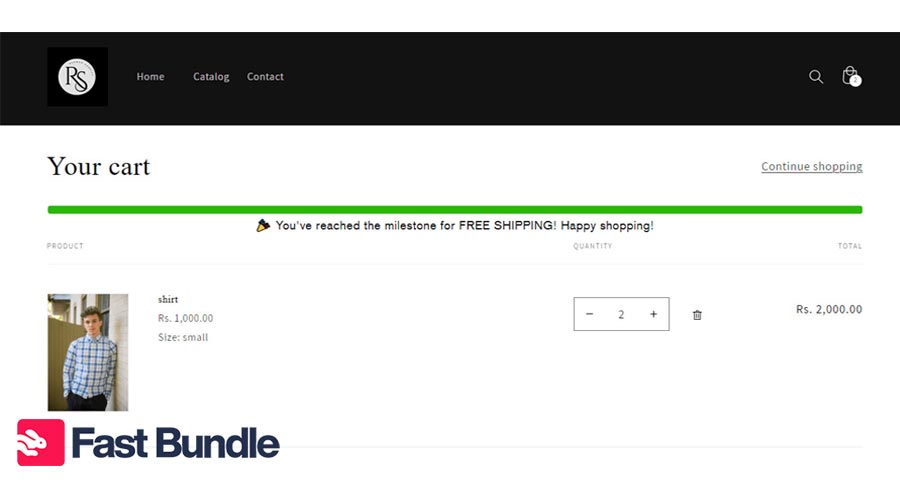
One of the benefits of free shipping options and bars is that they encourage shoppers to buy more items. Imagine a Shopify free shipping bar that claims: “Only $8 away from Free Shipping!”.
This message reframes the situation from extra cost to almost there. Instead of focusing on shipping fees, the shopper focuses on a small, achievable gap, and they will reach to achieve it.
Here’s another example: “Add 1 more item to unlock free delivery.”
This version reduces friction even further. Instead of thinking in dollars, the customer thinks in actions. The instruction is simple, concrete, and easy to execute.
Best Practices to Make Free Shipping Profitable
Free shipping is profitable, but there are some tips that help you execute it in the finest way possible. Get a look:
Never offer free shipping on low: margin products; you risk absorbing logistics costs without meaningful incremental contribution profit.
Always calculate average shipping cost against AOV and gross margin before setting a threshold or automatic free-shipping rule.
Pair free shipping with bundling or volume discounts to increase units per order and protect overall profitability.
Promote the free-shipping threshold clearly on product pages, cart, and header bar to maximize visibility and behavioral impact.
Test different threshold levels quarterly to align with changes in AOV, seasonality, shipping costs, and customer purchasing behavior.