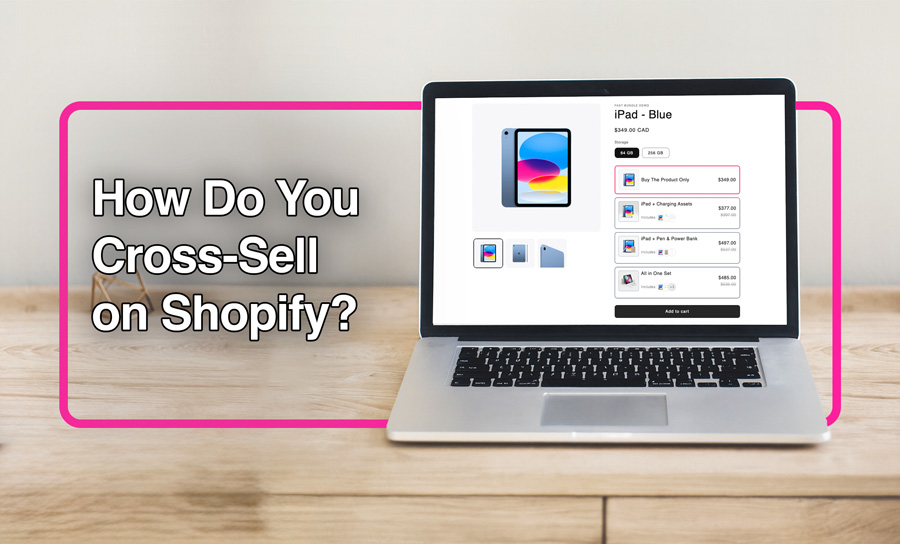
Cross selling, the technique of selling an additional product or service (on top of the main product), is one of the main ways Shopify sellers attempt to grow their business and increase AOV. A Shopify cross-sell can happen at any time, like when you’ve just started and want your products to reach new customers, or even as a high-revenue business on special occasions like black friday or Valentine’s Day. This article goes into the meaning and concept of Shopify cross selling, the apps that facilitate cross-selling, and the most practical tips for you to boost your AOV.
What Is Cross-Selling on Shopify?
Cross-selling on Shopify means that the store suggests complementary products while purchasing. Products that enhance what shoppers are already buying. Imagine offering a laptop sleeve or mouse when someone adds a laptop to their cart. It’s important to know that Shopify cross sell differs from upselling (which encourages customers to choose a higher-end version of the same item). Here’s an example to help you understand:
- Upselling: A customer adds a 32 GB iPad to their cart. Seller suggests upgrading to the 128 GB iPad for more storage and better performance. The purchase replaces the original product with a higher-value version.
Cross Selling: A customer adds an iPad to their cart. Seller suggests complementary items like an Apple Pencil, a protective case, or a keyboard cover. These add-ons don’t replace the iPad; they instead complete the purchase.
When & Where to Use Cross-Sell Offers
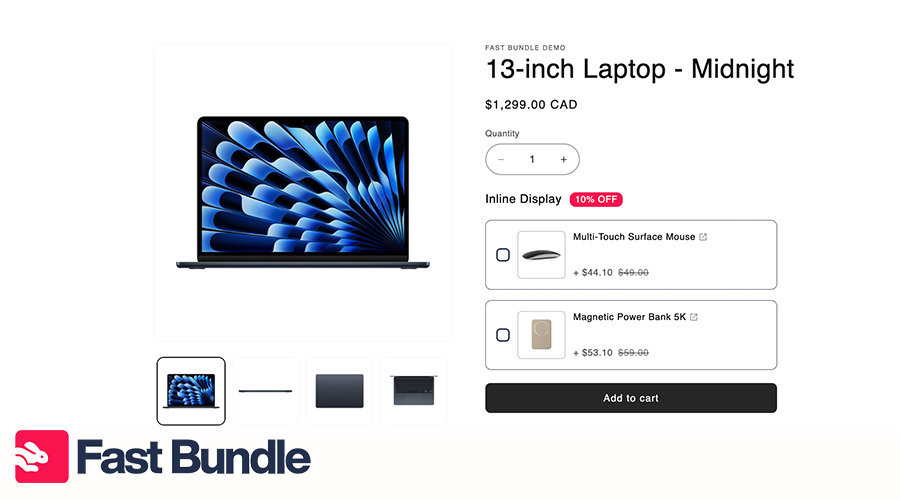
Regarding where and how to cross sell on Shopify, the most important part is approaching strategically. Here are the main touch points in which you can offer the cross sell offers, using apps or Shopify’s built-in features.
Product Page
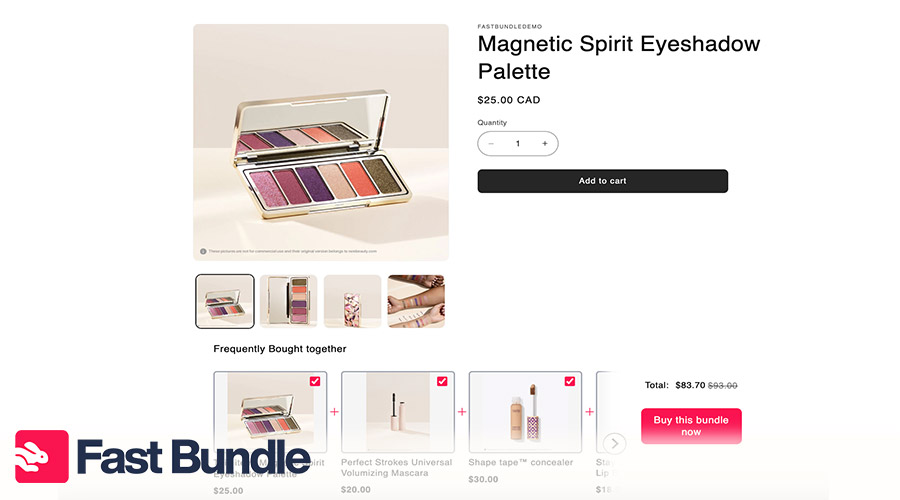
This is where intent is highest, so use “Complete the look” or “Frequently bought together” style cross-sells.
Think: camera – memory card, tripod, bag.
Cart Page / Slide Cart
Shoppers are already in “ready to pay” mode on the cart page. Your Cross-sells should be low-friction ones added with one click.
Checkout Page
Checkout is a sensitive place, but still not a bad place to offer your cross sells. Remember that too much noise can hurt conversions. Only offer very simple, high-relevance offers.
Post-Purchase Page / Thank You Page
This is one of the safest and most underrated places to cross-sell. The order is already placed so you can offer a cross sell as a small thank-you. It might actually create the next order right there.
Email Follow-Ups
Cross-sell doesn’t have to end on-site. Use email to recommend products that follow the last purchase:
- 3–7 days after: accessories and add-ons
- 30 days after: refills, replacements, or higher-ticket complements
Wholesome orders, every step of the journey!
Install Fast Bundle for high-converting cross-sell offers.

8 Popular Types of Cross-Sell Offers

Not all Shopify cross sell offers are the same. Each offer or bundle is fit for a special store and a unique type of customer. Here are 8 different types of cross sell:
Related product recommendations
The customers need to see items that naturally complement the one they’re viewing. These recommendations feel like helpful guidance, not a push to buy. They make it easier for customers to build a complete set without spending time searching.“Frequently bought together” combos
Since cross selling is a type of bundling, try to package products that are commonly purchased together and display them as a ready-made kit. This practice can increase convenience, build trust, and encourage shoppers to add multiple relevant items to their cart.Add-ons & accessories
Offer small, easy-to-add extra items that enhance the main product. Low-friction additions increase order value without slowing down the purchase flow.Volume discounts
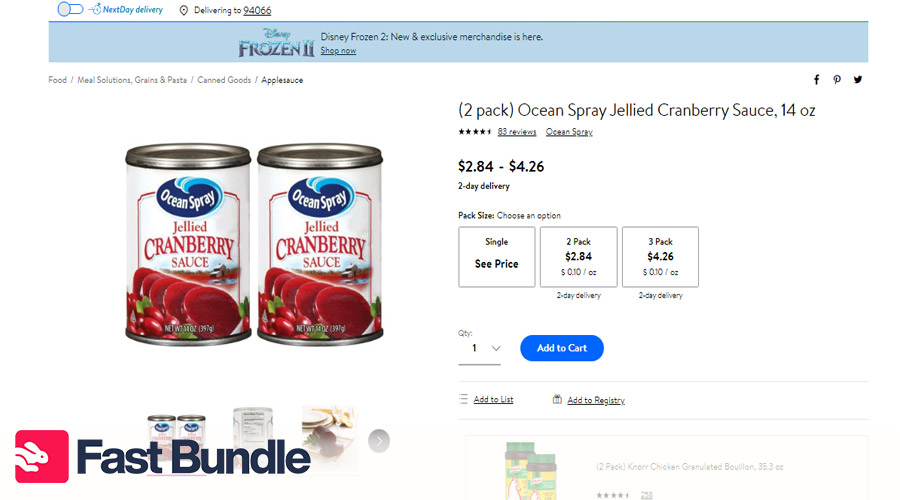
The more carts filled with high-margin products, the higher your AOV will rise. Encourage customers to buy more by offering discounts for multiple purchases. “Buy 2, save 10%” or “Buy 3, pay for 2” increases both the perceived value and the perceived savings.
Post-purchase one-click add-ons
After checking out, let your customers add an extra product with a single click. It doesn’t harm conversion, and it’s a powerful way to boost revenue even after the sale.Smart product suggestions (AI-based)
Use AI to make benefits and free yourself from manual processes. AI can automatically recommend items based on browsing patterns, previous purchases, or cart behavior.Checkout upsells
If we consider the value given in upsells as a kind of product, then any upsell can be a kind of cross-sell.l Show simple, high-intent add-ons during checkout. These should be small, relevant items that the shopper can add quickly without disrupting the final purchase.Threshold-based offers (“Spend $ more for free shipping”)
Motivate customers to increase their cart value by offering a treat once they reach a specified spend threshold. This tactic improves AOV and creates a sense of progress.
How to Set Up Shopify Cross-Selling (Step-by-Step)
Let’s get into technicalities. How to cross sell on Shopify?There are two methods:
Native Methods (without third-party apps)
Since Shopify doesnt provide a specific “cross sell” feature built-in, you can use alternative solutions like creating a buy x get y offer and turning it into a cross sell. Just use the feature in your admin panel and set the “condition” based on the quantity of items or purchase amount. It’s a kind of volume cross sell, and will definitely encourage customers to buy more.
You can also work your way from the themes option:
- Access your Shopify admin.
- Proceed to “Online Store”, and then Themes.
- Select Customize for your desired theme.
- Go to the product page and locate the ‘Related Products’ section.
- Configure and save changes.
App-based setup

When looking for a Shopify cross-sell app, consider its ease of use, smooth automation, clean design, and, of course, affordability rather than just piling of features. Before we learn how to cross sell on Shopify, here’s what you should look for in an app.
Smart automation: search for apps that generate recommendations automatically. Things like “Frequently Bought Together”, AI-based suggestions, or dynamic add-ons, so customers need less manual pairing. As a Shopify cross-sell app, Fast Bundle lets you create bundles and generate their images with AI.
Flexible placement: A strong tool gives you freedom to put the offer anywhere, from the product page and cart drawer to checkout extension or even post-purchase screen.
Mobile-first UX: Most Shopify traffic is mobile, and quick loads are no longer a luxury. They’re a must! Offers should appear fast, look native to your theme, and allow one-tap add-to-cart.
Analytics: You’ll need clear reporting on which cross-sells convert, which placements perform best, and how much extra revenue each widget adds.
Best Practices for Cross-Selling in 2025
Some Shopify cross sell offers work better than others, and they’re the ones that:
Are Relevant
A cross sell bundle should show products that genuinely complement the shopper’s current item. Real connection between the product and customer, sells. Irrelevant suggestions that feel intrusive might cause customers to lose trust.Don’t overdo it
Limited and concentrated cross-sells are often better than a lot of unfocused stuff. Too many options overwhelm shoppers and slow down the decision-making.Use strong visuals and clear CTAs
Clean product photos, brief benefit-driven text, and simple “Add to Cart” buttons help cross-sells feel effortless.Test different placements
Experiment with different options like product page widgets, cart drawer add-ons, checkout extensions, and post-purchase offers. Test customer behaviours and make the most out of the offer.Combine with bundles or free shipping offers
Pair cross-sells with incentives like “Add this to reach free shipping” or create small bundles that nudge customers to increase cart value while feeling rewardedHave a Mobile-optimized UX
Make sure cross-sell widgets load fast, fit the screen, and allow one-tap add-ons. Since most traffic is mobile, smoothness can make you stand out.
Common Cross-Selling Mistakes to Avoid
Suggesting irrelevant or random products
Recommending items that don’t logically match the shopper’s intent can feel pushy and prevent them from coming back to your store.Showing too many recommendations
Overloading customers with choices creates decision fatigue and makes them leave sooner just to finish the job and be done with it.Interrupting checkout flow
Intrusive pop-ups or complicated offers during checkout always distract shoppers and could increase cart abandonment.Offering too many discounts on low-margin products
Aggressive discounts on already low-margin items reduce profitability, so price strategically.Not tracking performance
Without measuring conversions and revenue lift, you can’t optimize cross-sell placements or understand what actually drives results.
🍱 Cross Selling Pro Tip:
Cross sell and upsell offers can drive 10–30% of total revenue in ecommerce. Don’t leave that money on the table! install Fast Bundle and turn those missed suggestions into real AOV gains.
Metrics to Track for Cross-Sell Success
Is your cross-selling truly working? To really understand, you need more than your intuition. These metrics reveal which offers really work.
Cross-sell conversion rate
Percentage of shoppers who see a cross-sell offer and add at least one suggested item to their cart.Average order value (AOV) uplift
This one shows how much your AOV increases when cross-sell widgets are active (compared to when they’re not).Take rate by placement
Tracks which locations—product page, cart drawer, checkout, post-purchase—generate the highest add-to-cart rate for cross-sell offers.Revenue from cross-sell items
Total revenue directly attributed to accepted cross-sell offers.Attach rate per product
How often a specific product sells with at least one cross-sell item, showing natural pairings and sales opportunities.Profit margin impact
Evaluates whether added items actually increase profit after discounts, fees, and shipping.
Real-World Cross-Sell Examples from Shopify Stores
Koh – +20% AOV with personalized cross-sells (Shopify Plus)
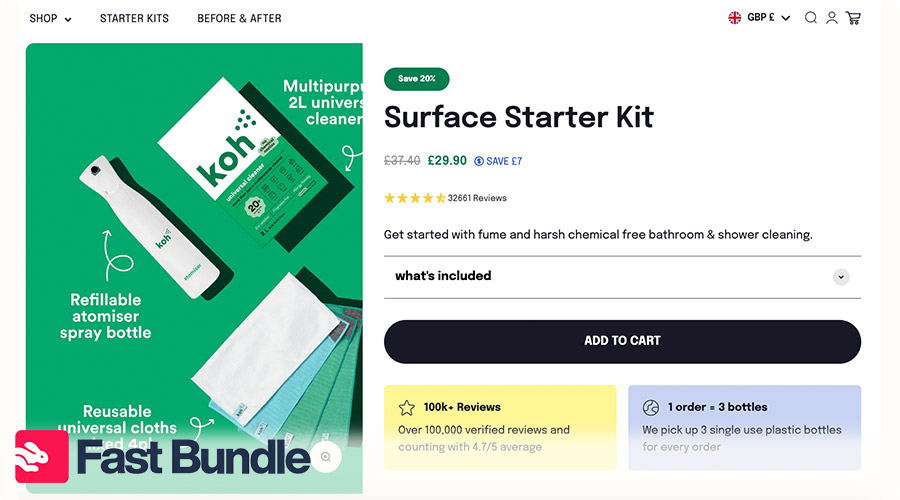
Cleaning brand Koh upgraded to Shopify Plus and started using apps to add tailored upsells and cross-sells in checkout and across the journey. Including smarter recommendations led to a 20% increase in average order value and a 3× increase in sales volume.
Blend Commerce A/B Test – 43% revenue lift from a cross-sell widget
CRO agency Blend Commerce ran A/B tests on Shopify stores and reported a specific experiment in which a cross-sell widget produced a 43% revenue lift, and a tuned upsell yielded an additional 7.5% conversion gain.
Olivia Jewelry – $138,678 extra from post-purchase cross-sells
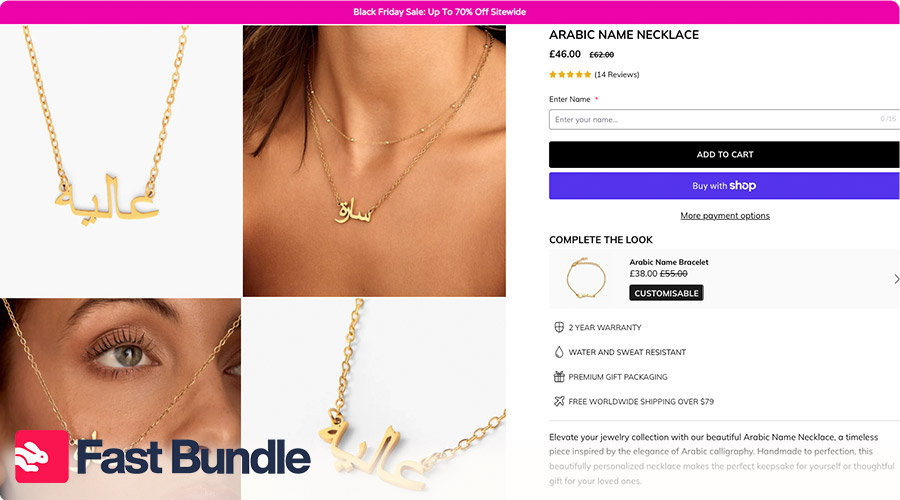
Shopify brand Olivia Jewelry added one-click post-purchase offers using apps. By showing targeted complementary items after checkout, they generated $138,678 in additional revenue with a 3.68% conversion rate and a huge 34,674% ROI on those offers.
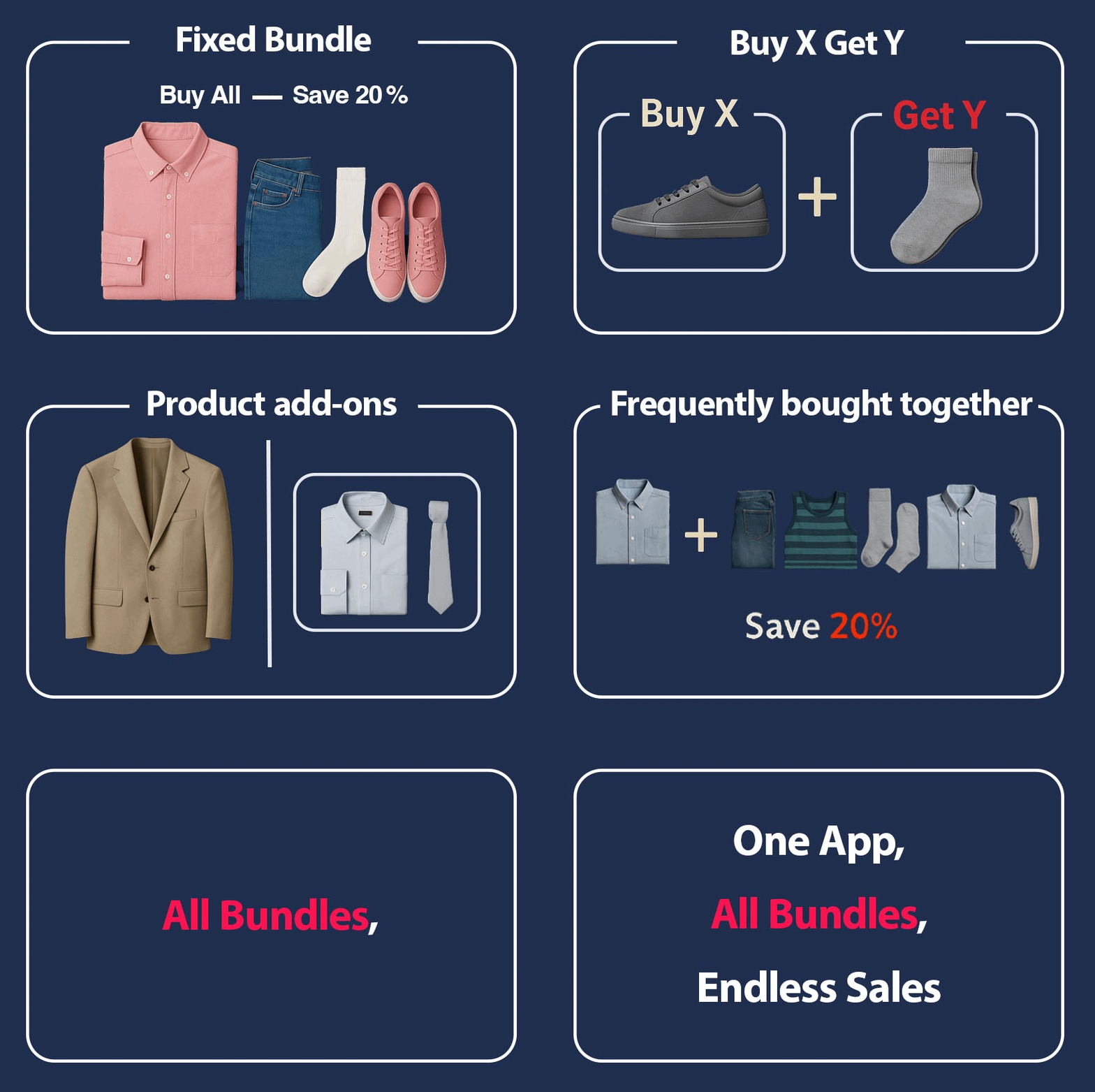
Final Tips for Shopify Merchants
Now that you’ve learned what cross sell offers are and how you can implement them, here are some tips to go:
Start with one or two cross-sell points, no overloading: Begin small with focused offers to avoid overwhelming shoppers and maintain a smooth flow.
Use apps that offer flexibility and analytics: select tools that give precise control and clear performance data to refine your strategy.
Combine with bundle offers for stronger AOV gains: Pair cross-sells with smart bundles to create higher-value carts.
Keep it helpful, not pushy: Recommend items that genuinely enhance the original purchase to maintain trust and overall user satisfaction.
Optimize continuously based on data: Review metrics often and adjust placements, products, and designs to improve conversions over time.
FAQ
What is cross-selling on Shopify?
Cross selling on Shopify means suggesting complementary products alongside the main item to increase order value.
How do I add cross-sell offers without apps?
Use Shopify discounts, Buy X Get Y promotions, and theme-related product sections to mimic cross-sells.
Which metrics show if my cross-sell strategy works?
Track cross-sell conversion rate, AOV uplift, revenue from suggested items, and performance by placement carefully.